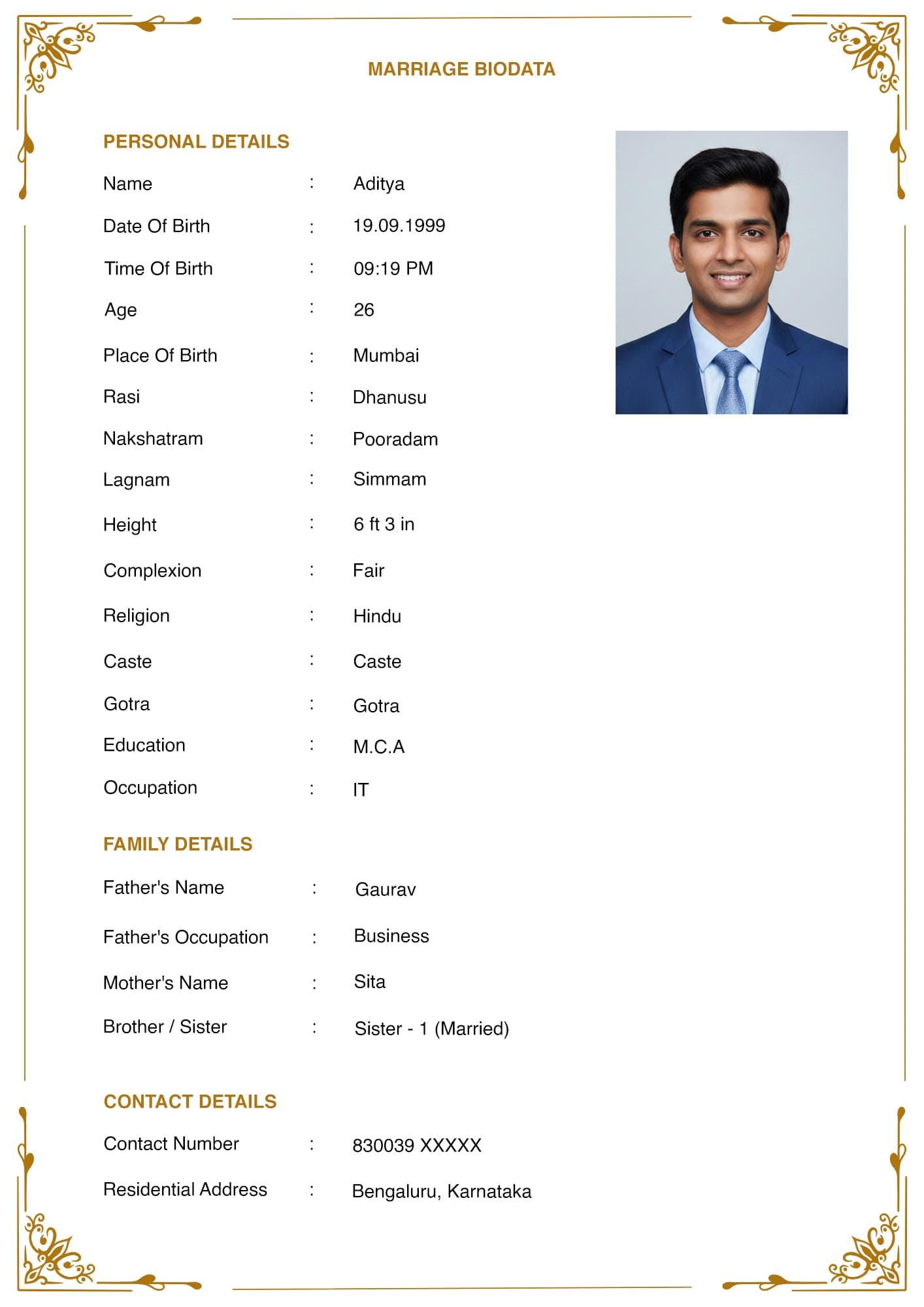
Biodatas still get printed. They are carried to family meetings, photocopied for relatives, and handed around at community gatherings. A file that looks correct on a phone can look poor on paper, and you usually find out after twenty copies have been made.
These are the settings that prevent that.
Quick Answer Set the page to A4, not Letter. Keep margins at about 2 cm on all sides. Use 11 or 12 point body text. Use a photo of at least 600 by 800 pixels. Export the PDF between roughly 200 KB and 500 KB. Print one copy and look at it before making more.
Page Size: A4, Not Letter
This is the setting most people get wrong without noticing, because many tools default to US Letter.
A4 is 210 by 297 mm. Letter is 216 by 279 mm. Letter is wider and shorter. When a Letter-sized file is printed on A4 paper, printers either scale it down, leaving an uneven white band at the bottom, or clip the edges.
A4 is the standard everywhere in India. Every print shop, every office printer, and every ream of paper you buy is A4. Set it before you start, because changing it afterwards re-flows the whole layout.
Margins
About 2 cm on all four sides. In inches, roughly 0.8.
Most home and office printers cannot print to the physical edge of the paper. They have a non-printable border of a few millimetres. Content placed too close gets clipped, and on a biodata the clipped part is usually the bottom line, which is often your contact number.
Wider margins than 2.5 cm start wasting space you need for a one-page layout. Narrower than 1.5 cm risks the clipping problem.
Font and Text Size
- Body text: 11 or 12 point. Do not go below 10 point to squeeze in more content. A large share of the people reading this document are parents in their fifties and sixties, often reading a photocopy under poor light.
- Headings: 14 to 16 point. The name at the top can go to 18.
- Font choice: a common one. Arial, Calibri, Times New Roman, Georgia. Decorative fonts and thin display fonts break down badly on a photocopy, where thin strokes disappear entirely.
- Line spacing: 1.15 or 1.2. Single spacing on a dense field list becomes hard to scan.
If your content will not fit at 11 point, the answer is to cut content, not to shrink the type. See [INTERNAL-LINK: one-page biodata format → spoke A3] for what to cut first.
The Photo
Photo quality is where printed biodatas most often fail, and the cause is almost always the same. The photo was taken from a WhatsApp forward.
- Minimum resolution: 600 by 800 pixels. More is fine. A photo below this looks acceptable on a phone screen and prints visibly soft.
- Use the original file. Take it from your camera roll, your email, or wherever the original sits. Every WhatsApp send re-compresses an image. A photo that has been forwarded three times has lost detail that cannot be recovered.
- Portrait orientation. A landscape photo either gets squashed or badly cropped when placed into a portrait slot.
- Placement: top right, beside the personal details block. This uses the space efficiently. A photo centred on its own row consumes a full band of the page for no benefit.
For pose, background and clothing, see [INTERNAL-LINK: biodata photo size and pose → spoke C3].
File Size
Aim for 200 KB to 500 KB.
Too large and it takes a long time to download on a slow connection, and it consumes storage on the recipient's phone. Files above about 2 MB genuinely annoy people who are receiving several biodatas.
Too small and the photo has been compressed to the point where printing looks poor. A biodata PDF under about 100 KB usually means the image was heavily compressed.
If your export is too large, the photo is almost always the cause. Reduce the photo dimensions before inserting it, rather than compressing the whole PDF afterwards, which degrades the text as well.
Pre-Print Checklist
Work through this before you make copies.
- [ ] Page size is A4, not Letter
- [ ] Margins are about 2 cm on all sides
- [ ] Body text is 11 or 12 point
- [ ] Font is a common one, not decorative
- [ ] Photo is at least 600 by 800 pixels and comes from the original file
- [ ] Photo is portrait orientation, placed top right
- [ ] Everything fits on one page
- [ ] File is between roughly 200 KB and 500 KB
- [ ] Contact number is well inside the bottom margin
- [ ] You have printed one copy and looked at it
The last item is the one people skip, and it catches the most problems. Print a single copy. Hold it at arm's length. Check that the photo is not muddy, the bottom line is not clipped, and the text is comfortable to read.
Photocopy Considerations
Biodatas get photocopied, often several generations deep. A copy of a copy loses contrast.
Two adjustments help. Avoid light grey text, which fades to nearly nothing by the second copy. And avoid coloured backgrounds or watermarks behind the text, because photocopiers render them as grey shading that makes the text harder to read.
A plain white background with black text survives copying better than any design choice you could make.
Frequently Asked Questions
What page size should a marriage biodata be?
A4, which is 210 by 297 mm. This is the standard in India. US Letter causes scaling problems and clipped edges when printed here.
What margins should I use for a biodata?
About 2 cm on all sides. Most printers cannot print to the edge, and content placed too low often gets clipped.
What photo resolution do I need for a printed biodata?
At least 600 by 800 pixels, taken from the original file rather than a WhatsApp forward. Forwarded images are re-compressed every time they are sent.
Why does my printed biodata look blurry?
Almost always the photo. It was either too low resolution to begin with, or it came from a compressed WhatsApp copy. See [INTERNAL-LINK: biodata photo size and pose → spoke C3].
What file size should a biodata PDF be?
Between roughly 200 KB and 500 KB. Larger files are slow on poor connections. Much smaller usually means the photo has been over-compressed.
In Short
- A4, not Letter. Set it before you build the layout.
- Margins of about 2 cm. Body text at 11 or 12 point.
- Photo at 600 by 800 pixels minimum, from the original file, portrait, top right.
- Export between 200 KB and 500 KB.
- Print one copy and look at it before making twenty.
Before exporting, confirm you are sending the right file type with [INTERNAL-LINK: Word or PDF → spoke C1], and see the full format in the [INTERNAL-LINK: marriage biodata format guide → pillar page].