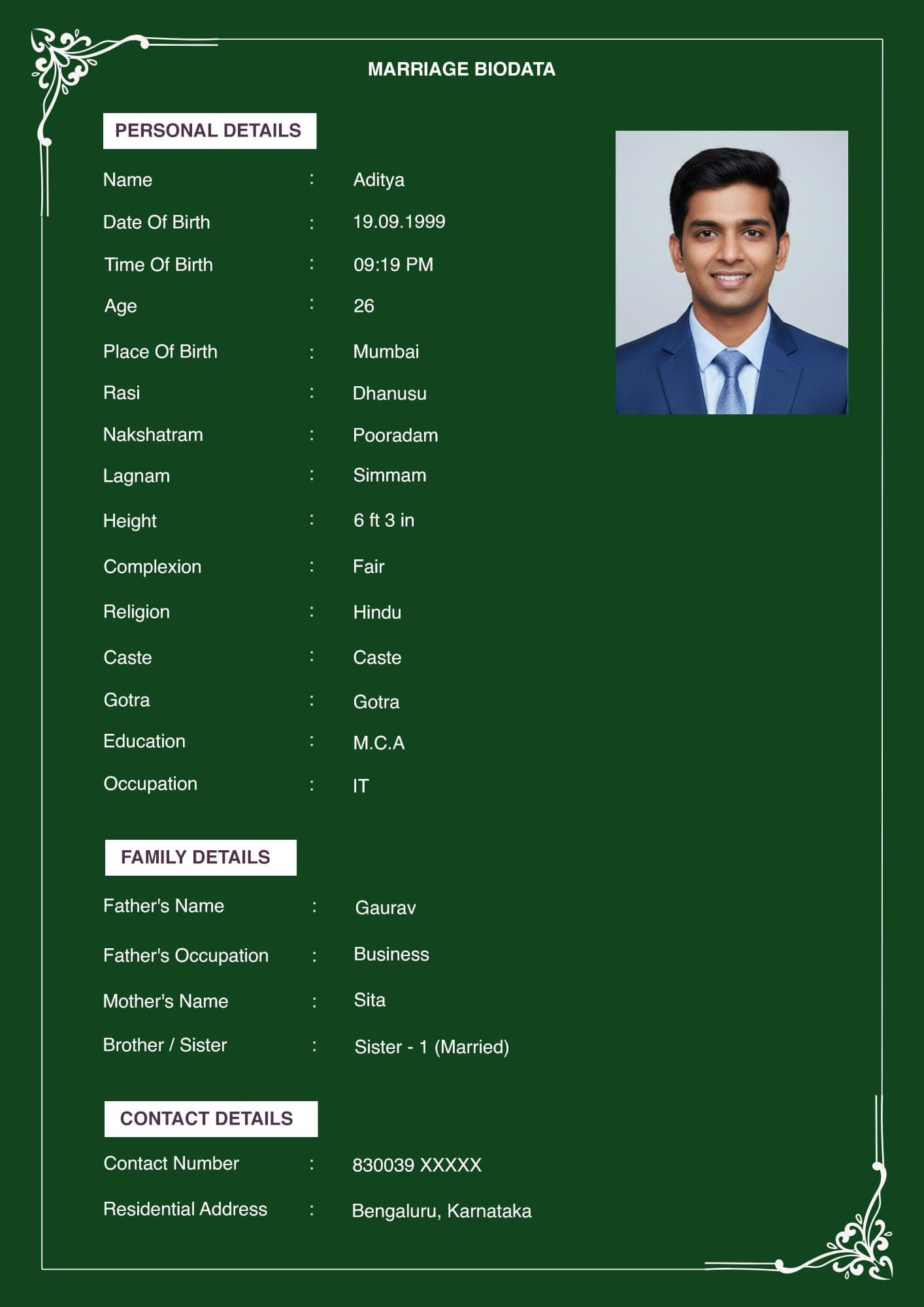
WhatsApp is where most biodatas actually travel. Not email, not matrimonial portals. A file gets sent to one family and forwarded to a relative. It lands in a community group, then in the folder of a consultant who keeps hundreds.
Two things follow. Send it in a way that survives the journey, and write it knowing you cannot call it back.
Quick Answer Send the PDF as a document, not as an image. Use the attach menu and choose Document, then browse to the file. Never use the Forward button on a biodata you received from someone else. Write two lines with it saying who is sending and why. Send it to individuals, not to groups.
Send It as a Document, Not an Image
This is the mechanical step that matters most.
If you attach your biodata as a photo or through the gallery, WhatsApp treats it as an image and compresses it. Text goes soft. The photo loses detail. Each subsequent forward compresses it again. By the third hop it prints badly.
Attaching it as a document sends the file intact, byte for byte. No compression, no quality loss, however many times it is forwarded.
On Android and iOS: tap the attach icon, choose Document, then browse to your PDF. Do not choose Gallery or Photos.
The trade-off is that a document does not preview inside the chat the way an image does. The recipient sees a file card and has to tap it. That is a small cost against keeping the file readable.
Never Use the Forward Button
If a relative sends you a biodata and asks you to pass it on, do not hit Forward.
Forwarded messages carry a "Forwarded" label, and often "Forwarded many times". On a marriage biodata, that label signals the document has been circulating widely. It is not the impression a family wants to give when approaching a new match.
Save the file to your device, then send it fresh as a document with your own message.
The same applies to your own biodata. Send it as a new message each time, not forwarded from a previous chat.
What to Write With It
A file sent with no message is easy to ignore and easy to misread. Two lines are enough.
Say who is sending, and why.
"Namaste. This is Ramesh Kulkarni, Priya's father. Sharing our daughter's biodata for your kind consideration. Please let us know if you would like to speak further."
Or, when the candidate is sending it directly:
"Good evening. Sharing my biodata as discussed with Sharma uncle. Happy to answer any questions."
Two points about tone. Keep it plain and short. And name the connection if there is one, because "as discussed with Sharma uncle" immediately tells the reader why an unknown number is messaging them.
Avoid long introductory paragraphs. The biodata does that job.
Send to Individuals, Not Groups
Posting a biodata into a community WhatsApp group is common and it is worth thinking twice about.
A group post reaches many people at once, which is the appeal. It also puts the file in the hands of everyone in that group. That includes people who will forward it onward with no context and no connection to your family.
Sending to individuals is slower and gives you some idea of where the document has gone. When a community group is genuinely the right channel, that is a decision for your family to make deliberately rather than by default.
Assume It Will Be Forwarded
This is the part that should change what is on the document itself.
Once your biodata leaves your phone, it is out of your control. It will reach families you never contacted, consultants you never engaged, and group chats you cannot see. There is no mechanism to recall it.
That is why the contents matter more than the delivery method. No Aadhaar number, no PAN, no bank details, no full residential address. The area and the city are what a family actually needs. See [INTERNAL-LINK: what never to put in a biodata → spoke D2] for the complete list.
It is also why the contact number is a real decision. Naming a parent or elder sibling as the contact means unknown callers reach a family member rather than the candidate directly. Many families prefer this, particularly for a daughter's biodata.
Updating a Biodata Already in Circulation
You cannot replace the copies already out there. You can limit the confusion.
Name the file with a date. "Biodata_Priya_Aug2026.pdf" tells anyone holding it which version it is. When you update, change the date in the filename and send the new file to the families currently in conversation with you.
Do not send an updated biodata to everyone who ever received one. It creates more confusion than it resolves, and reads oddly.
Image or PDF for WhatsApp?
Both have a use.
PDF as a document is the primary send. Full quality, prints correctly, survives forwarding.
An image previews in the chat, which helps when someone is scrolling quickly on a phone. If you use one, treat it as a convenience alongside the PDF, not as a replacement. Send both to the same person only when they have asked for both, and never attach both in a message meant to be forwarded onward. See [INTERNAL-LINK: Word or PDF → spoke C1].
Frequently Asked Questions
How do I send a marriage biodata on WhatsApp without losing quality?
Attach it as a Document, not through Gallery or Photos. WhatsApp compresses images but sends documents unchanged.
Why does my biodata look blurry after sending on WhatsApp?
It was sent as an image rather than as a document. Images are compressed on every send, and the loss is permanent.
Should I forward a biodata I received?
Do not use the Forward button. Save the file, then send it fresh. Forwarded messages carry a label that signals the document has been circulating widely.
What message should I write when sending a biodata?
Two lines. Who is sending, and the connection or reason. "Sharing our daughter's biodata for your kind consideration" with your name and relationship is sufficient.
Is it safe to post a biodata in a WhatsApp group?
It reaches more people, and it also means you lose any sense of where the file has gone. Send to individuals where you can, and treat a group post as a deliberate decision.
In Short
- Attach as Document, never through Gallery. That single choice preserves quality.
- Never use Forward. Save and send fresh.
- Two lines of message: who is sending, and why.
- Individuals over groups.
- Write the document assuming it will reach people you never contacted.
Before you send anything, run through [INTERNAL-LINK: what never to put in a biodata → spoke D2] and [INTERNAL-LINK: common biodata mistakes → spoke D3].